LocalTag
A free, local-first utm link management web app with templates and advanced parameter configuration.
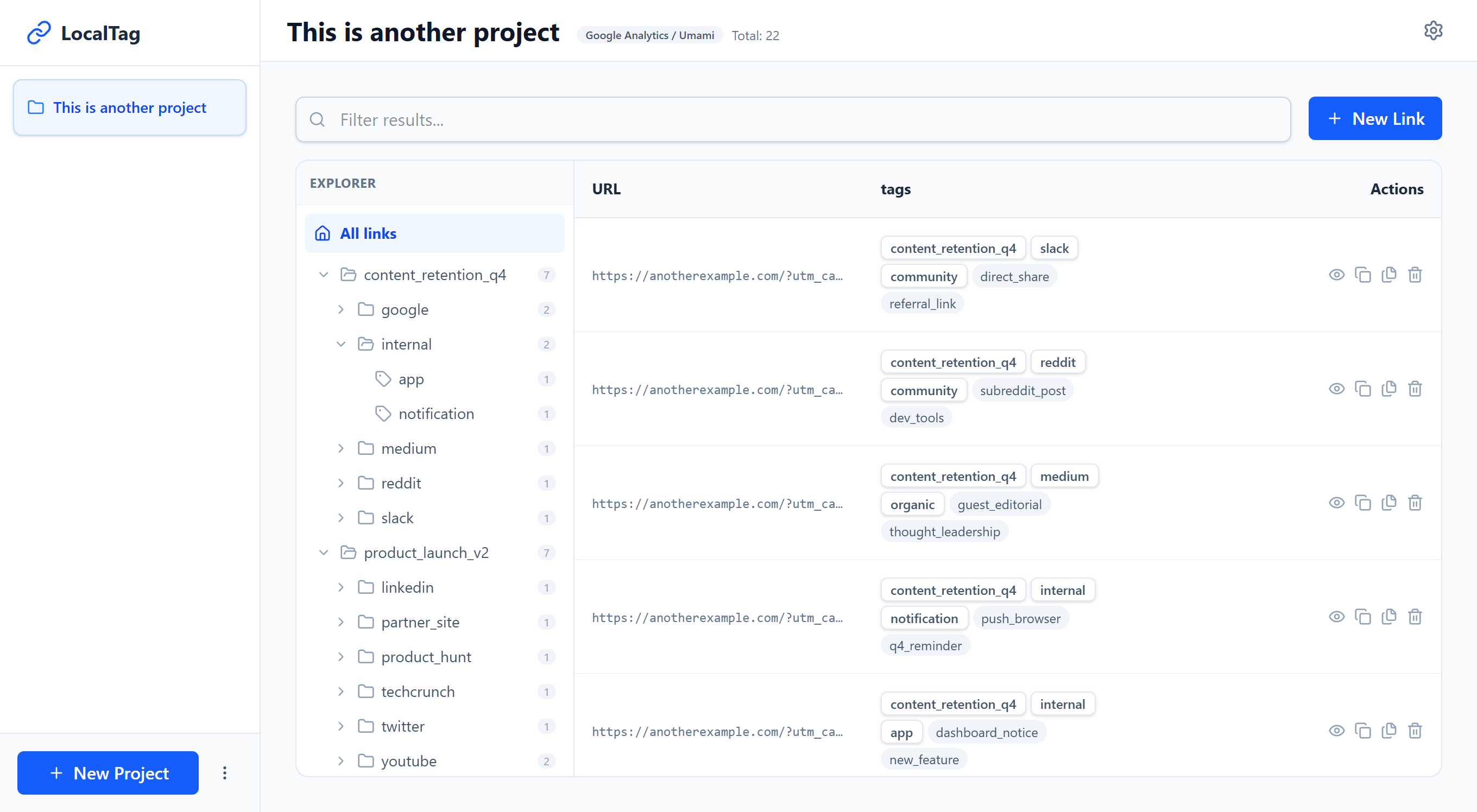
usage
Navigate to localtag.app and follow the instructions.
The proposed workflow is as follows:
Create Project > Open Project > Generate Links
configuration
General app configuration is accesible via the three-dot button at the bottom near the left corner. Here you can configure the language, appearance, and backup functions.
import & export
The backup functionality works in two ways:
- Individual project backup: Exportable from project settings or the sidebar options menu. These can be imported from the new project menu.
- Global bakcup: Export and import from the general configuration menu.
Importing a backup is a non-destructive process. If you import an individual project or a series, they are added to existing ones even if they already exist in the system, copies will be appropriately identified.
project configuration
Accesible from the project view via the gear button in the top right. The following can be edited:
- Base URL.
- URL Parameters.
- Navigation hierarchy.
Projects can also be exported from this menu.
motivation
While implementing UTM links for a campaign, I found existing apps were quite simple and left much to be desired. I wanted a tool that functioned more as a creator and manager of links-one that helps differentiate existing links from those yet to be created, while providing quick access and the ability to create variants from existing links.
It also seemed relevant to support multiple parameter formats, as most generators strictly follow a single set of rules, mostly google's.
internals
This project is built using the following stack:
- Framework: Based on astro-minimal-template.
- Frontend: React is used through astro islands.
- Persistence: Data is stored locally using indexedDB via the idb library for project-related data.
- State Management: Nanostores.
ViBecOdiNg
This is the first app I have developed entirely with AI. While I'm not entirely comfortable with the fact yet, I'm quite happy with the result and impressed by how far I was able to go with minimal direct code intervention.
I didn't actually plan on building this project. After seeing the state of current online tools, I designed an app concept but quickly archived it, convinced I didn't have the time to bring it to life.
To experiment with current AI development tools, I decided to use that stored concept and started with the canvas mode of gemini-pro. I wrote a detailed prompt about the app concept, explaining the workflow and how I conceived the UI/UX. The result felt like an MVP with solid foundations.
The next step was starting a local project based on my astro-minimal-template. Once created, I used antigravity and provided the previously generated file. My prompt was:
Analyze the attached HTML code. Integrate this app into the Astro project by separating components by responsibility and common utilities into their own instance for better reuse. Use React for interactivity.
The AI understood the internal responsibilities well and separated them into independent files. I only had to fix specific issues related to library usage. Afterward, I iterated many times, adding features and refactoring those to extend them.
The process was so fast that I struggled to decide when to stop to launch the app. Having the ideas fresh and being focused on details allowed me to add, fix and optimize quickly. It took about a week to run out of ideas, so I decided to publish it as a work-in-progress.
what i learned
- AI allows for a very fast iteration, useful for rapid proofs of concept.
- AI makes mistakes, especially if the task description lacks specificity and detail.
- It may hallucinate library APIs if it does not have updated documentation at hand.
- Waiting for cycles of "accept and execute" util a task is resolved can be slow and tedious.
- Adding rules allows for simpler prompts while ensuring tasks are completed as expected.
why not open-source?
In general, I enjoy sharing projects that help me be a more productive developer, and I feel aligned with the philosophy behind open-source.
However, I built this app believing it would be useful for developers, but I know that those who use these tools the most are marketing professionals. Since I'm not familiar with this sector and most tools are designed to generate profit, I don't want this project to be cloned and used in that way.
For now, while I decide how to handle this, the app will remain closed-source, though I don't rule out publishing it one day.